· Written for US Walmart and Sam’s Club associates
WalmartOne Login, Schedules, Payslips and Wmlink 2step Verification.
Sign in to One.Walmart.com, the Walmart associate portal, to check your work schedule, request time off, view your payslips and read company news. WalmartOne is the older name for the same thing.
New for Walmart associates this month
- Paid NICU leave starts 17 November 2026.
Eligible associates get up to 12 weeks of paid leave when a baby is admitted to a NICU
within 28 days of birth. It stacks with maternity and parental leave, so frontline
associates can reach up to 28 weeks paid in total. - A Zero Dollar prescription tier arrives 1 January 2027.
It covers more than 250 generic, brand-name and specialty medications, including some
insulin and inhalers. - A Rare Conditions Center of Excellence opens for 2027.
No-cost specialist access for multiple sclerosis, Parkinson’s and ALS with Mayo Clinic and
Cleveland Clinic, with travel covered for the associate and one adult caregiver. - Medical coverage still starts at $39.80 per biweekly pay period for
full-time and eligible part-time associates.
Source:
Walmart corporate newsroom,
October 2026. Check One.Walmart for your own eligibility.
Get help with any Walmartone login problems in our FAQ section, or jump straight to Wmlink/2step if you still need to set up two step verification.
Walmart Wire or WalmartOne?
 Is there a difference between WalmartOne and Walmart Wire?
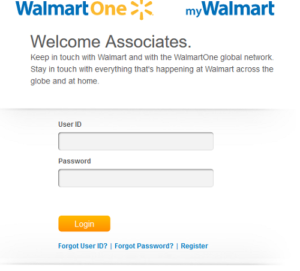
There used to be. Walmart Wire was the internal intranet, reachable only from a computer inside a Walmart facility. WalmartOne was the outward facing associate site, so you could reach it from home.
Walmart merged the two in 2019 under the name Walmart OneWire. That name has since been dropped, and everything now lives at One.Walmart.com. Our page on Walmart Onewire covers that history and where each old feature ended up.
So in 2026 there is one portal, not three. If a coworker says “check the Wire”, they mean One.Walmart.com. Some internal operational tools are still only reachable from a device inside a store, but pay, benefits, schedules and tax documents are all available from home once you have two step verification set up.
Create a One.Walmart Account.
I’m a new Walmart employee. How do I get my login?
You do not register for an account yourself. Your access is created for you when your associate record is set up, which usually happens in your first days of employment rather than the moment you accept the offer. That is why new hires often find they cannot sign in on day one.
What you need is your WIN, your Walmart Identification Number. It is on your associate paperwork and on your payslip, and your People Lead can look it up for you.
Once your WIN exists:
- Set a password through the first time setup on One.Walmart.com.
- Enrol in two step verification at Wmlink 2step or Wmlink/2sv. Do this on a store device while you are on shift, because a store device is inside Walmart’s network and does not need the verification you are trying to create.
- Download the MyWalmart app, or Me@Sams if you work at a Sam’s Club.
If it has been more than a week of working shifts and you still cannot sign in, that is worth raising with your People Lead. It is an onboarding record problem, not something you can fix yourself.
One.Walmart Associate Login.
How do I log in to my associate account?
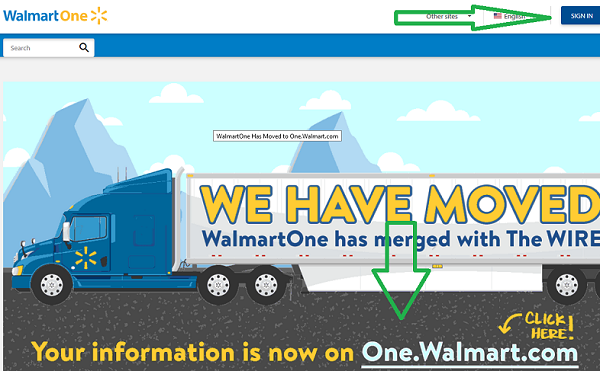
Go to one.walmart.com and sign in with your WIN and password. Type the address into your browser rather than searching for it, because searches for the Walmart employee login return copycat pages built to collect credentials.
The web address will change as you sign in. Walmart hands you to its single sign on service before the portal loads, so a changing address at that point is normal and not a warning sign.
The old walmartone.com address is no longer the way in. If you have it bookmarked, replace the bookmark.
Walmartone.com login and Walmart OneWire help pages cover the older routes and what replaced them.
Logging in from home.
This is where most login problems start. A computer inside a store is on Walmart’s network, so it skips the extra verification step. Your phone or laptop at home is not, so it asks for the second factor.
If two step verification was never set up, there is nothing for it to check and you cannot get in from home no matter how correct your password is. That single requirement explains the large majority of “it works at work but not at home” complaints.
Set it up at Wmlink/2step before you need it, and choose a method that survives a new phone. An authenticator app keeps working when you change your number. A text message to an old SIM does not.
One.Walmart Login Problems.
Work through these in order. They are listed by how often each one turns out to be the answer.
- Two step verification is not set up. From home, this is the most common cause by a wide margin.
- You are using the wrong username. It is your WIN, not an email address. An email produces a “we can’t find an account” message rather than a wrong password error.
- The page timed out. If you opened the login page, went to find your password and came back, reload and sign in without pausing.
- A browser extension is blocking a script. Try a private window, where extensions are normally disabled. If it works there, allow the domain rather than disabling everything.
- Your account is locked. Repeated failed attempts lock it, so trying again makes it worse. Stop and reset the password instead.
- You are on a copycat site. Type one.walmart.com rather than clicking a search result.
- CAPS LOCK. Passwords are case sensitive.
- You are a former associate. Portal access ends shortly after your last day. Pay and tax documents are reached through the former associate route instead.
An “Access denied” or 403 message is different from a wrong password. It means a permissions or verification gap, so resetting your password will not change it.
Walmart Schedule.
How can I view my work schedule?
Use the MyWalmart app, which is the fastest route and the one most associates open daily. Sam’s Club associates use Me@Sams instead, which is the single most common first week mistake: MyWalmart will accept a club associate’s sign in and show no schedule.
You can also view it in a browser by signing in to One.Walmart.com and opening the schedule section.
The older “My WalmartOne Schedule” app no longer exists. Our Walmart schedule page covers reading the schedule screen, swapping shifts and what to do when a week shows up blank.
One thing worth knowing: a shift swap is not cover until it shows as approved rather than pending. Associates take attendance points for shifts they genuinely believed were covered.
Walmart Paystubs.
How do I access my payslip?
Sign in to One.Walmart.com and open the pay section, then pick the pay period. The statement opens in your browser, and your browser’s print option will save it as a PDF if you need a copy for a lender or a landlord.
Statements normally post a day or two before the pay date. That gap is useful: it is the only window in which you can spot a wrong number before the money moves.
Former associates have a separate route for pay and tax documents, because portal access ends with employment. Our Walmart Payslips page covers both.
If a check looks short, compare the hours on the statement against what you worked. Wrong hours are a punch problem and live in GTA. If the hours are right, the answer is in the deductions column, and those two go to completely different people.
I have lost my password.
Use the forgot password link on the One.Walmart sign in page, enter your WIN and complete verification to set a new one.
The step that stops people is verification. Self service reset depends on reaching a method you can actually reach, and the associates who most need a reset are often the ones whose enrolled phone number is two years out of date. If that is you, a store device plus your People Lead is the route through, because a store device sits inside Walmart’s network.
After any reset, sign out of the MyWalmart app fully and sign back in. The app stores the old credentials and will keep failing with them, which reads as the reset not having worked.
The MyWalmart App.
Where do I download it?
Search the Apple App Store or Google Play for MyWalmart. Sam’s Club associates want Me@Sams.
Two older names still circulate and neither is current. WM1 was retired years ago, and Me@Walmart was renamed to MyWalmart. If a guide tells you to download either, it was written for a version of the app that no longer exists.
Be careful not to install the Walmart shopping app by mistake. It is the one that ranks highest in app store searches for “Walmart”, it will accept your sign in, and it will not show your schedule.
The app covers schedule, PPTO, shift swaps and time off requests. It does not carry your attendance points, your payslip or your W-2, which is why most associates end up using both the app and the portal.
Walmart Associate Contacts.
Walmart runs a different line for each kind of problem, and calling the wrong one costs you a transfer and a wait. These are the published numbers.
| What you need | Contact |
|---|---|
| HR and benefits Deductions, enrolment, general associate questions | 1-800-421-1362 People Services, listed as Walmart One and Benefits |
| Calling in absent or late | 1-800-775-5944 or 1-844-292-4796 Attendance Hotline |
| Open Door Wage and hour, a concern your management chain has not resolved | 1-800-361-0781 Open Door HelpLine |
| Ethics and compliance Conduct, safety, falsified records, retaliation | 1-800-963-8442 (1-800-WM-ETHIC), 24/7 [email protected] |
| W-2 for former associates | 1-877-325-9239, W-2 Express MyTaxForm.com, employer code 10108 |
| Counseling and mental health Free from your first day, no enrolment needed | 1-800-825-3555 Lyra |
| Choosing a medical plan | 1-877-260-1824 HealthCompare, Mon to Fri 8am to 6pm Central |
| WalmartOne support | [email protected] |
| Your own store’s People Lead | [email protected] Replace s0xxxx with your store number |
| Ethics by post | Walmart Inc., Attn: Global Ethics and Compliance, 811 Excellence Dr, Bentonville, AR 72716 |
Your store People Lead email follows a fixed pattern: [email protected], where s0xxxx is your store number padded to four digits. Store 1234 becomes [email protected]. It is useful when you need something in writing, which a phone call does not give you.
Three things do not go through any of these numbers:
- A leave of absence or disability claim goes to Sedgwick, an outside administrator with its own login and case numbers. Your store cannot approve a leave.
- Associate stock is held at Computershare, a separate company. That account stays yours after you leave Walmart, so set the credentials up while you still work there.
- Your schedule, a missed punch or an attendance point is a store matter. Your People Lead is faster than any phone line.
Walmart Call-In Sick Number.
How do I call in if I cannot work?
Call the Walmart Attendance Hotline on 1-800-775-5944, or 1-844-292-4796. This is the line associates use to report an absence or to say they will be late. Walmart lists the attendance hotline among the contact numbers on its own Global Ethics site.
Three things matter when you call:
- Call before your shift starts, not after it has already begun.
- Write down the confirmation number. That is the whole purpose of the call. It is your evidence the absence was reported, and it is what separates a reported absence from a no call no show.
- Tell your store as well. The line records the absence. Your store has to cover the floor.
Then do the step most people skip. Applying PPTO to that absence in the app is a separate action, and it is the one that actually prevents the attendance point. A PPTO balance sitting in your account does nothing on its own. The call in line does not apply it for you.
The Walmart Open Door Process.
Walmart’s Open Door policy says you can raise a concern with any level of leadership without going through your immediate supervisor first. In practice it works in order:
- Your immediate supervisor, up to and including your facility manager.
- The next level of leadership, up to and including market, regional and divisional teams.
- The Open Door HelpLine on 1-800-361-0781, or the Open Door page on the portal.
Use the Open Door HelpLine for wage and hour questions and for a concern your own management chain has not resolved. Use Global Ethics instead, on 1-800-963-8442 or [email protected], for conduct, safety, falsified records, theft or retaliation. That line is open 24 hours a day, and it deliberately does not run through your store, which matters when the concern is about your own management.
Retaliation for raising a good faith concern is prohibited, and is itself reportable.
What is One.Walmart.com?
One.Walmart.com is the official employee portal for Walmart associates, replacing the older WalmartOne and Walmart Wire sites. It is where associates check their schedule, track pay and time off, enrol in benefits and read company news.
Walmart employs approximately 2.1 million associates worldwide, around 1.6 million of them in the United States, and operates more than 10,900 stores across 19 countries. That makes the associate portal one of the most used internal systems of any employer in the world, which is also why so many separate tools hang off it.
Working in the UK instead? Asda was formerly part of Walmart and had its own version of the portal. See Asda Walmartone.
Frequently Asked Questions About One.Walmart.com & WalmartOne
1. What is One.Walmart.com?
One.Walmart.com is Walmart’s official employee portal, used by current associates, management and corporate employees. It provides access to pay information, schedules, benefits and HR tools. It replaced the older WalmartOne and Walmart Wire portals.
WalmartOne was the previous outward facing employee portal. Walmart merged it with the internal Wire intranet in 2019, briefly branding the result Walmart OneWire, and everything now sits at One.Walmart.com. The OneWire name has since been dropped. Old WalmartOne addresses no longer serve as the login.
3. What are the official Walmart employee and HR URLs?
The portal is one.walmart.com. Behind it sit Workday for your HR record, GTA for attendance and punch detail, and the pay section for payslips and tax documents. Sedgwick handles leave claims and Computershare holds associate stock, both with their own separate logins.
4. Why has the Walmart employee portal changed so many times?
Because the systems were not designed together. Walmart builds some internally and buys others, and a bought system arrives with its own login. The consolidations have pulled those into one entry point and added remote access with two step verification.
5. How do current Walmart employees log in to One.Walmart.com?
With your WIN and password. From outside a store you also need two step verification set up, which is the requirement that catches most people trying to sign in from home for the first time.
6. How do former Walmart employees access One.Walmart?
They cannot. Portal access ends shortly after your last day. For tax documents, former associates use MyTaxForm.com with Walmart’s employer code 10108, or call W-2 Express on 1-877-325-9239. A paper W-2 is also mailed to the address Walmart has on file, which is why that address is worth checking in your final week.
7. How do I view my Walmart paystubs?
Sign in to One.Walmart.com, open the pay section and choose the pay period. Statements post a day or two ahead of the pay date, so you can check the figures before the money moves.
8. How do I find my Walmart work schedule?
In the MyWalmart app, or the schedule section of One.Walmart.com. Sam’s Club associates use Me@Sams. A blank week usually means it has not been posted yet rather than something being broken.
9. How do I find my Walmart W-2 form?
Current associates reach tax documents at wmlink/w2 while signed in to the portal. Employers must furnish W-2s by 31 January, and the online copy normally appears before the mailed one. Former associates use MyTaxForm.com with employer code 10108, or W-2 Express on 1-877-325-9239. An IRS wage and income transcript works as a fallback if neither arrives.
10. How do I change my contact information on One.Walmart?
In Workday, reached through the portal. Your address matters more than people assume, because your W-2 and benefits correspondence are mailed there. Update it when you move, not at tax time.
11. What is Walmart Wire?
Wire was the internal intranet, reachable only from a device inside a Walmart facility. It was merged into the current portal in 2019. Associates and managers still say “the Wire” out of habit, and they mean One.Walmart.com.
12. What is WMLink at Walmart?
The wmlink addresses are shortcuts that jump straight to a specific page in the portal, such as wmlink/w2 for tax documents or wmlink/2step for verification setup. They skip navigation, not authentication, which is why a shortcut typed while signed out lands you on the login page.
13. Is Walmart Wire accessible from home?
The portal is, with two step verification. Some operational tools used on the sales floor are still tied to being in a store, but pay, benefits, schedules and tax documents are all available remotely.
14. How do I set up Wmlink/2step two-factor authentication for Walmart?
Two step verification is required to use the portal from outside a store. You can choose a text message, a phone call or an authenticator app. Set it up on a store device while you are on shift, because a store device is inside Walmart’s network and will not ask you for the verification you are trying to create. To get started with enrollment, access Wmlink/2step or Wmlink/2sv from within a store terminal. Our own Wmlink 2step and Wmlink 2sv pages have the full walkthrough.
15. What is the “9-minute rule” at Walmart?
Associates use it to describe a short window around a scheduled punch where arriving slightly early or late is not treated as late. Walmart does not publish any such rule, and reports of how it works differ between stores, so treat the schedule time as the time. A late arrival that does count is normally half an attendance point.
16. How much is the Walmart employee discount?
It is applied with your Associate Discount Card and is commonly described as 10% on general merchandise and fresh fruit and vegetables. Walmart’s public benefits page does not print a percentage, so confirm the current terms in the portal. There is a service based waiting period, so it is not available on your first day.
17. How does the Walmart employee discount work?
The card is scanned at checkout, and online it applies automatically once the card is linked to your walmart.com account. Linking it is a separate step from having it, and an unlinked card is almost always the reason the discount works in store but not online. Most packaged groceries, alcohol, tobacco, pharmacy, fuel and gift cards are excluded.
18. Who is eligible for One Walmart access?
Current associates, salaried managers and corporate employees. Temporary and seasonal associates have access while employed, with some benefits limited. Former associates keep no portal access.
19. What is the MyWalmart app?
MyWalmart is the official associate app, previously named Me@Walmart. It covers your schedule, PPTO, shift swaps and time off requests. It does not carry attendance points or payslips, which stay in the portal. Sam’s Club associates use Me@Sams.
20. How do I reset my One.Walmart password?
Use the forgot password link on the sign in page, enter your WIN and complete verification. If you cannot receive the verification code, self service will not work and you need a store device and your People Lead. Update the MyWalmart app with the new password afterwards.
21. Why can’t I log in to One.Walmart?
From home, usually because two step verification is not set up. Other common causes are using an email instead of your WIN, a browser extension blocking a script, or an account locked by repeated failed attempts. “Access denied” is a permissions problem, not a password one.
22. How do I access benefits information?
The benefits section of One.Walmart. You can make changes during your initial enrolment window, during annual open enrolment, or within the short window after a qualifying life event such as marriage or a birth. Outside those windows you generally cannot change anything, which makes the deadline the important part.
23. How do I check my PTO or PPTO balance?
In the MyWalmart app or at wmlink/pto. PPTO accrues at one hour for every 30 hours worked, for full time and part time alike, capped at 48 hours a year on the National Plan. PTO becomes usable from your 90th day.
24. How do I submit time off requests?
Through the app or the portal. Timing matters more than anything else: a request made before the schedule for those dates is built asks for a day to be left free, while the same request after it is posted asks for a shift to be removed and covered. Check the schedule afterwards, because approved time off appears there and a pending request does not protect you.
25. What is Walmart InHome?
InHome is a delivery service where associates deliver groceries directly into customers’ homes, including into the fridge. Working on it depends on your role, your store taking part and passing the additional checks and training.
26. How do I know if I am eligible for Walmart InHome?
It depends on your job role, whether your store participates and local availability. Not all stores offer it. Your People Lead or the portal will tell you.
27. Can I access One.Walmart on my phone?
Yes, in a mobile browser, and the MyWalmart app covers the things associates check daily. The app can also approve your verification prompt, which makes signing in to the portal from home considerably less annoying.
28. Is One.Walmart secure?
It uses encrypted connections and two step verification. The reason that matters is what sits behind your login: your direct deposit details, your W-2 and your personal information. Payroll redirection is the standard attack on employee portals at every large company, and it is usually discovered on payday. Never share your credentials, and type the portal address rather than searching for it.
29. What do Walmart employees most often ask about?
Attendance points and PPTO, schedules and shift swaps, pay that looks short, the discount card and getting back into the portal from home. The most costly misunderstanding is PPTO: having a balance does not stop an attendance point, applying it to the specific absence does.
30. Who do I contact for help with One.Walmart?
People Services on 1-800-421-1362 for benefits and account matters. Your People Lead, reachable at [email protected] with your store number, for anything tied to your store such as schedules, punches and attendance points. The Open Door HelpLine on 1-800-361-0781 for a wage and hour issue or a concern your management chain has not resolved, and Global Ethics on 1-800-963-8442 or [email protected] for conduct and compliance. Technology faults go through the internal IT ticket route.
For other Employee Portal Guides, please visit Our Sainsburys, Walmart Associate Login My Sainsburys, Publix Passport, Roadrunner Email, AO3, and FlyingTogether.
Thank you for visiting Wireonelogin.com.
Thank you for the info! The Walmart1 system wouldnt let me log in, but i tried another browser as you suggested, and now it works!
The WM1 app is the worst app ever. Can’t log in , won’t take anything I put in….worst worst app
What is the website that helped you?
I would like to have my Walmart Schedule for the week of 11-4-18
You can view your Walmart Schedule online in the following ways:
Go to http://www.walmartone.com, and log in to the website with your User Id. Click on “View Full Schedule”.
or
Download the WalmartOne app, which is available in both the Google Play store, and iOS. Log in to the app with your WIN number and check your schedule.
or
Download the My Walmart Schedule app. Log in to the app with your WIN number and check your schedule.
Who is the store manager for Williamsburg Neighbor Market ?
I can’t find my walmart login page, just tons of ads! I don’t need to add anything, I just want to print out my schedule why am I having so much trouble!
The official Walmartone login page can be found at Walmartone.com. Click on “Sign in” in the top right corner. The direct link is https:// authn.walmartone.com/login.aspx
Can not log in to WalmartOne.
I cannot access my pay notes I don’t no how to do it find it very difficult as I’m not computer savvy I follow all the instructions but can’t find the things it tells me to look for I’m new to Asda and no one at work seems interested
I am a former SAMS Club assistant manager but need I formation in getting my 401k . Any helpful hints on this? Also need to set up to receive my W2 form by mail.
I you have set up a WalmartOne account, you should still be able to access it as a former Sams Club/Walmart employee.
How to access your Walmart/Sams Club 401K plan:
Log in to WalmartOne and go to Benefits/401K. You will be redirected to the benefits.ml.com website (Merrill Lunch). If you have questions, call the Merrill Lunch 401K Help Line at (888) 968-4015.
How to access your Walmart or Sams Club W-2 online:
Go to MyTaxform.com. The Walmart and Sam’s Club employer code is 10108. The website will ask for your social security number, and then a pin. Your pin code is your birthday. Example: If you were born in May of 1975, my pin would be 0575. The system will ask you a few more security questions.
You will then have online access to the W2 for this past year. For a fee, you can also access past Sams Club/Walmart W2s.
Walmart will also send you a paper W2. You W-2 will be sent to the last known address in the system. If you have moved, then let Sams Club HR know your new address.
Como puedo sacar mi w2
After the new app was up and working. I haven’t been able to sign into Walmart to check schedule or anything. I ask for my username it was sent to me but when I try to reset password it tell we my username should have up to 8 letter and a symbol and number. If I try to add anything to username it won’t take it. How do I reset my account or open it to be able to login?
How can I can use my Walmart employee discount card for online shopping at Walmart.com?
How to Use your WalMart Associate Discount Card on Walmart.Com.
Answer:
Walmart provides associate with an Associate Discount Card. You can use this card at any Walmart location worldwide, AND at the Walmart.com online store. Walmart associates will get a 10 percent discount on any general merchandise (which is NOT already discounted), and on fresh produce.
This is how you get your employee discount at Walmart.com:
Go to the Walmart.com website.
Type in “Associate” into the search box and click on “Search.” (Only the word “Associate”).
You will be re-directed to the Walmart Associate login page on Walmart.com.
Enter your Walmart Associate ID Number (Social Security number), and your Associate Card Number.
Click on “Sign In” and start shopping.
Yo entraba por Google y tenia acceso a todo pero La opción de Open Shift esta bloqueada o pq no la veo ya y en la nueva aplicación de My Schedule no deja entrar p completar horas .Quisiera me ayudaran. Gracias
I am a former employee of WalMart, I need to update my address for W-2 purposes. How would I go about doing this?
Answer: For W-2, go to MyTaxForm.com. The Walmart employer code is 10108. Enter your personal information to confirm your identity. You will then get online access to the W2 for this past year, or pay a fee for past W2s.
To change your address in Walmart’s system as a former employee, you need to call (479) 273-4000 and ask for the Walmart payroll department. They will make the necessary address changes in their system so that your current mailing address i supdated when they mail out the W-2. You must do this before they process the W-2s, so before January 31st.
I have tried to log into walmartone but there isn’t a sign in notice when I tap on username it doesn’t do anything I’m trying to get a copy of my November pay slip can u help
If an Associate pays for an item not in stock on the one day of their big discount bonus will the discount apply when product arrives?
It’s saying that my username isn’t found even though I registered on Walmart one. WHAT ON EARTH IS GOING ON?!
How many billions (mabe trillions) did walmart do last year? why can’t you correct the terrible WM1 app for your employees?
I’m trying to get my WIN#. I am retired and have a lifetime discount card. I tried to use my discount card to order something online, but something popped up stating I needed my WIN#. I forgot what it is.
I want to create a pln number to get on walmart
I have been trying for about an hour to figure out how to get into benefits to make a change and still can’t figure it out.
Thanks,
Roger C ml
Have you tried https:// portal.walmartbenefits.com?
when i enter my birthday, it says i entered something else, and will not let me change it, what can be done about this?
Your birthday in the WalmartOne system is entered like this:
Birth date: (mm)/(dd)/(yyyy)
If that does not work, then contact HR
No puedo acceder a walmart one
Can anything be made simple? This is as bad as dealing with the snitches at work !!!
I have an iPhone X. I cannot find the WM1 app on my phone. Ive have tried google chrome with no luck. pls. help
How do i find out at home on my walmart one WIRE what hotels i get a discount at’
The new Onewalmart system is a terrible! NOTHING is simple about it. WHY do you people have to make this so difficult?? If I were trying to call in sick, I’d be dead before I could ever log on. I have been playing with this thing for 30 minutes and STILL can’t get logged on!!! FRUSTRATION!!
Did the 2 step verification at work the other day. Still can’t seem to log on to this site.
Feel like it is more difficult.
I can’t get the 2 step verification to work for me either and what is so sad no one else can get it to work for me either. That is truly sad
Problem solved, used Chrome and no problems logging in now.
Please can you make easy way to logging for associate . There is an app so we can logging please send me the link Thank you
I was hired at Wal-Mart during the pandemic. I do work full time hours but was hired as temporary. My question is how long before they start letting associates that were hired as temporary during the corona virus pandemic go? And also how do I go about becoming permanent because I really want to stay on
I lost my cellphone so how do I get into my account using email verification instead of text verification?
I can’t change or update anything at work unless I’m clocked in and I can’t clock in when I’m not scheduled to work and I haven’t been to work because I don’t know my schedule because my phone got stolen at work. Smh…??
Where I can find 2019 Walmart Sock?
Trying to get the Walmart Family Mobile 33% discount. Please help me .
Problem solved. Thank You so much.
Where do I go to pick up extra shifts?
Trying to login using my new phone but keeps sending a code to my old phone but I don’t have that phone tried changing my number on the computer at work didn’t work
Am in LTD at the moment am former employer an i need to login in my account but they ask for visit wmlink/2step went i put in my pc they don’t work what my a do this issue thank you STORE 1853